Our Blog
STRINEX advances eco-friendly technologies, reducing fossil fuel reliance and supporting sustainable living. Our mission is to lead renewable energy and sustainable infrastructure through innovation and efficiency.
10GBASE-SR vs 10GBASE-LR: Choosing the Right SFP+ for OM3 vs OS2 in UAE (2026)
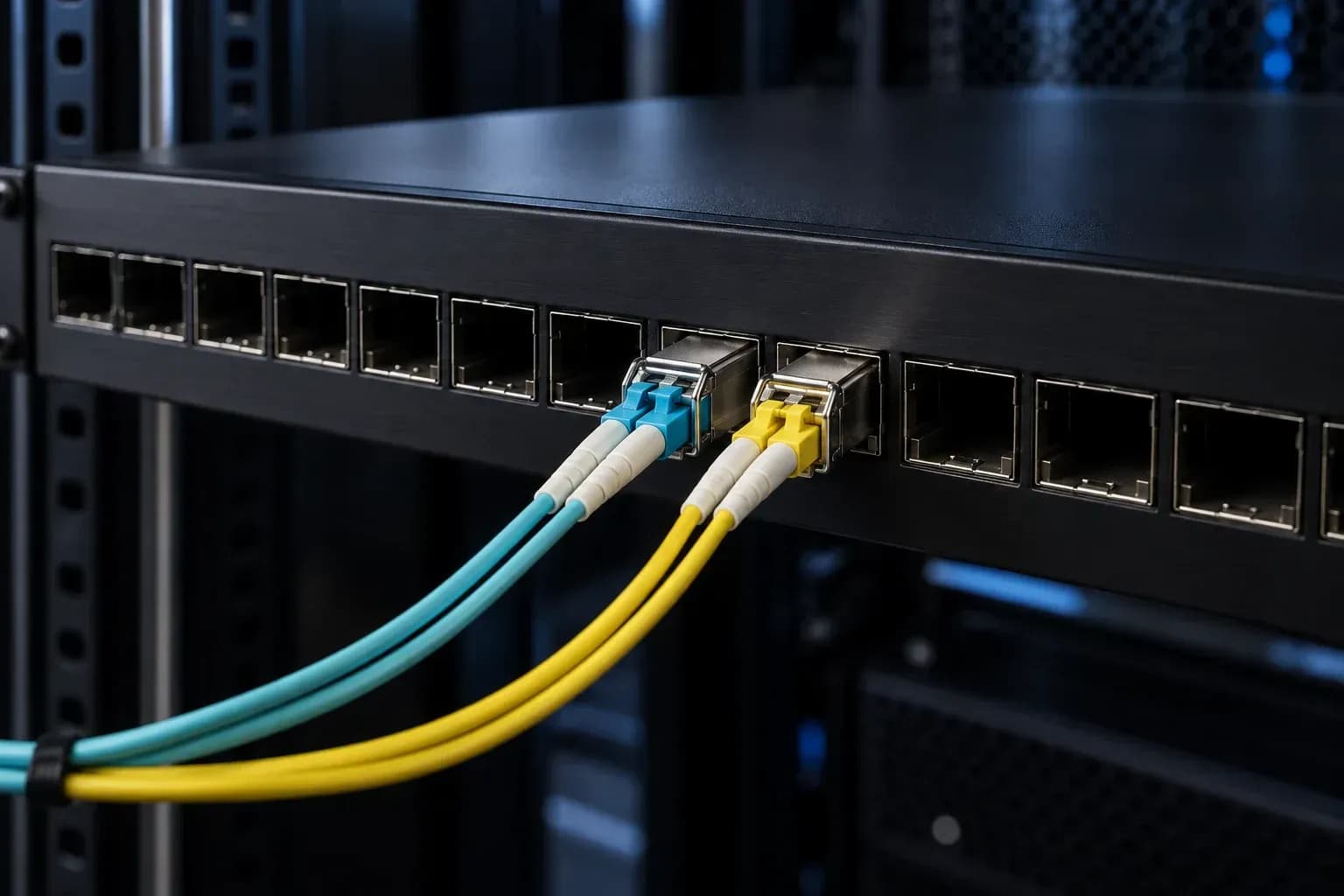
For a 10GBASE-SR versus 10GBASE-LR decision, start with the cable plant you already own. An SR optic belongs on a qualifying OM3 or OM4 multimode channel. LR belongs on OS2/G.652 single-mode fibre. A longer number on a data sheet does not make LR the safer choice for a short link in a Dubai Internet City data centre, and it does not rescue an unverified fibre route. Document the route, module pair, connector and splice count, polarity, switch port capability and channel loss before the maintenance window. That short pre-check prevents most expensive transceiver swaps. SR and LR are different optical systems 10GBASE-SR normally uses an 850 nm VCSEL over multimode fibre. 10GBASE-LR normally uses a 1310 nm DFB laser over single-mode fibre. Cisco reference limits put SR at 300 m on OM3 and 400 m on OM4, while the LR class is commonly specified to 10 km on G.652 fibre. Those values describe a compliant channel under stated conditions. They do not validate an installed path or every commercial module carrying an LR label. The Alpha Bridge ASFP-10G-SR 10G SFP+ optical transceiver is specified for 10 Gb/s, 850 nm, LC duplex, OM3/OM4 multimode fibre, and runs up to 300 m. It is a good fit for a qualifying short multimode channel. It is not an OS2 solution. Calculate the link budget before ordering. Available budget equals minimum transmitter output minus receiver sensitivity. Compare it with measured fibre attenuation, connector loss, splice loss, and an engineering margin. Keep 3 dB in reserve where the channel allows it. In a high-density line card environment, that margin matters more than a generous brochure reach. | Decision input | SR route | LR route | |---|---|---| | Installed medium | Qualifying OM3/OM4 multimode | Qualifying OS2/G.652 single-mode | | Optical class | 850 nm VCSEL | 1310 nm DFB | | Usual deployment | Rack, row, or short data-centre link | Campus or inter-building link | | Evidence required | Length, loss, polarity, and endpoint data sheets | Exact LR data sheet, length, loss, and endpoint data sheets | Key takeaway: Fibre type, measured loss, and the endpoint specifications select the optic. Headline reach only sets the outer boundary. Compare the part number, not the category name A vendor label does not prove interoperability, coding, availability, or warranty coverage. Treat every third-party or refurbished optic as a specific part-number decision. That is especially true when a site mixes Cisco, Juniper, Arista, and MikroTik hardware. | Parameter | Strinex Alpha Bridge | FS.com equivalent | Cisco OEM | Generic or refurbished | |---|---|---|---|---| | Data rate | 10 Gb/s SFP+ | Confirm selected SKU | Confirm selected SKU | Verify label and data sheet | | Wavelength and fibre | 850 nm, LC duplex, OM3/OM4 MMF | Confirm SR or LR SKU | Match qualified optic to circuit | Verify wavelength, fibre, and connector | | Maximum reach | Up to 300 m for ASFP-10G-SR | Depends on SKU and fibre | Depends on SKU and fibre | Verify exact part number and condition | | DDM/DOM | Specified; SFF-8472 basis | Confirm selected SKU | Depends on SKU and platform | Validate before production use | | Switch acceptance | Validate host, software, and port | Coding and host validation required | Qualified platform combinations | Highest validation burden | | UAE delivery and warranty | Check live Dubai dispatch and product terms | Confirm at order | Confirm at order | Confirm provenance, lead time, and terms | Use the Alpha Bridge ASFP-10G-SR 10G SFP+ optical transceiver only inside its stated 300 m multimode specification. For LR, get the exact data sheet for the part number under consideration. “10 km LR” is a class reference, not a blanket promise. Interoperability still needs a host check SFF-8431 defines the SFP+ electrical and mechanical interface. SFF-8472 defines diagnostic telemetry: temperature, supply voltage, transmit bias, transmit power, and receive power. Those standards provide a common baseline; they do not force a host to accept every EEPROM coding or extend OEM support to a non-OEM optic. Check the exact 10G port before insertion. Catalyst and Nexus estates need model- and release-specific confirmation. Juniper EX and QFX deployments should be checked in the Hardware Compatibility Tool for the target Junos release. Arista 7050SX installations need the applicable Transceiver and Cable Guide plus the installed EOS version. On MikroTik RouterOS, check cage speed, EEPROM visibility, link state, and diagnostics on the actual release in use. At turn-up, verify matching optical classes, LC-duplex polarity, speed, interface errors, and DOM values. Record a stable-link baseline first. An Rx-power reading only means something when you compare it with that module's thresholds and the same port's normal behaviour. For host-specific considerations, read SFP+ transceiver compatibility on Cisco, Juniper and Arista . Field work: inspect before replacing optics Start with the physical route. Read the cable jacket marking, trace the length, count panels and mated pairs, identify splices, verify A-to-B polarity, and confirm the port form factor. This catches the familiar failures: SR plugged into OS2, a 1G cage mistaken for 10G, or a polarity error masked as an “optic problem.” Keep bend radius above 30 mm. For LC connections, use an IEC 61300-3-35-aligned sequence: inspect ferrules and adapters, dry-clean with a one-click cleaner, inspect again, then connect. Dust is mundane, but it regularly consumes more outage time than the module itself. Use a power meter to compare received power against the module limits. Use a visual fault locator to find gross breaks or routing mistakes. Neither replaces a measured end-to-end loss result. Acceptance requires the measured path loss to reconcile with the budget calculated from the two endpoint data sheets. Tools that isolate the fault Connector inspection, channel-loss testing, and fault location answer different questions. Run them in that order. It stops teams from swapping a healthy SFP+ because an unclean connector is driving the alert. Fluke Networks FI-7000 FiberInspector Pro inspects connector end faces for contamination and scratches. Fluke Networks CertiFiber Pro OLTS measures optical loss and produces a channel acceptance record. Fluke Networks VisiFault Visual Fault Locator locates major continuity breaks, poor connections, and routing errors on accessible paths. Frequently asked questions What is the distance difference between 10GBASE-SR and 10GBASE-LR? Reference limits are 300 m on OM3 and 400 m on OM4 for SR, versus 10 km on G.652 single-mode fibre for LR. They are maximums under specified conditions, not installed-channel guarantees. Confirm the exact module data sheet and measured loss. Can I use a 10GBASE-SR SFP+ on OS2 single-mode fibre? No. SR is an 850 nm multimode optical class, not an OS2 solution. Use a matched single-mode design, such as LR, with compatible fibre, wavelength, and endpoints. Is 10GBASE-LR better than SR? No. LR solves a longer single-mode requirement; SR is right for a qualifying short OM3/OM4 channel. Buying LR for the larger reach figure can create the wrong channel design. How do I calculate an SFP+ fibre loss budget? Subtract receiver sensitivity from minimum transmitter output to find the available budget. Total fibre loss, connector loss, splice loss, and the documented engineering margin using the exact endpoint data sheets. Retain 3 dB of margin where possible. What does SFP+ DOM/DDM show? SFF-8472 diagnostics report temperature, supply voltage, transmit bias, transmit power, and receive power. Use the readings as telemetry, compare them with module thresholds, and retain a stable-link baseline. Selection checklist for UAE network teams Select SR for a qualifying short OM3/OM4 link and LR for a qualifying OS2/G.652 link. Distance alone is not the decision. Calculate the optical budget from endpoint data sheets and measured path loss; hold 3 dB of margin where the route permits it. Treat MSA conformance as an interface baseline, not a guarantee of host acceptance or OEM support. Inspect and clean LC connections before replacing transceivers or escalating a power alarm. Buy against the measured channel The SR versus LR decision is cable-first. Qualify OM3/OM4 for SR or OS2/G.652 for LR, prove the path with a loss budget, then validate the exact module pair on the target switch software. For a short multimode route, the Alpha Bridge ASFP-10G-SR 10G SFP+ optical transceiver is a verified 850 nm, LC-duplex, 300 m option. Check current Dubai dispatch and product terms, then send Strinex the switch model and release, fibre marking, route length, measured loss, and quantity before purchase.

Categories
Popular Tags
10GBASE-SR vs 10GBASE-LR: Choosing the Right SFP+ for OM3 vs OS2 in UAE (2026)
For a 10GBASE-SR versus 10GBASE-LR decision, start with the cable plant you already own. An SR optic belongs on a qualifying OM3 or OM4 multimode channel. LR belongs on OS2/G.652 single-mode fibre. A longer number on a data sheet does not make LR the safer choice for a short link in a Dubai Internet City data centre, and it does not rescue an unverified fibre route. Document the route, module pair, connector and splice count, polarity, switch port capability and channel loss before the maintenance window. That short pre-check prevents most expensive transceiver swaps. SR and LR are different optical systems 10GBASE-SR normally uses an 850 nm VCSEL over multimode fibre. 10GBASE-LR normally uses a 1310 nm DFB laser over single-mode fibre. Cisco reference limits put SR at 300 m on OM3 and 400 m on OM4, while the LR class is commonly specified to 10 km on G.652 fibre. Those values describe a compliant channel under stated conditions. They do not validate an installed path or every commercial module carrying an LR label. The Alpha Bridge ASFP-10G-SR 10G SFP+ optical transceiver is specified for 10 Gb/s, 850 nm, LC duplex, OM3/OM4 multimode fibre, and runs up to 300 m. It is a good fit for a qualifying short multimode channel. It is not an OS2 solution. Calculate the link budget before ordering. Available budget equals minimum transmitter output minus receiver sensitivity. Compare it with measured fibre attenuation, connector loss, splice loss, and an engineering margin. Keep 3 dB in reserve where the channel allows it. In a high-density line card environment, that margin matters more than a generous brochure reach. | Decision input | SR route | LR route | |---|---|---| | Installed medium | Qualifying OM3/OM4 multimode | Qualifying OS2/G.652 single-mode | | Optical class | 850 nm VCSEL | 1310 nm DFB | | Usual deployment | Rack, row, or short data-centre link | Campus or inter-building link | | Evidence required | Length, loss, polarity, and endpoint data sheets | Exact LR data sheet, length, loss, and endpoint data sheets | Key takeaway: Fibre type, measured loss, and the endpoint specifications select the optic. Headline reach only sets the outer boundary. Compare the part number, not the category name A vendor label does not prove interoperability, coding, availability, or warranty coverage. Treat every third-party or refurbished optic as a specific part-number decision. That is especially true when a site mixes Cisco, Juniper, Arista, and MikroTik hardware. | Parameter | Strinex Alpha Bridge | FS.com equivalent | Cisco OEM | Generic or refurbished | |---|---|---|---|---| | Data rate | 10 Gb/s SFP+ | Confirm selected SKU | Confirm selected SKU | Verify label and data sheet | | Wavelength and fibre | 850 nm, LC duplex, OM3/OM4 MMF | Confirm SR or LR SKU | Match qualified optic to circuit | Verify wavelength, fibre, and connector | | Maximum reach | Up to 300 m for ASFP-10G-SR | Depends on SKU and fibre | Depends on SKU and fibre | Verify exact part number and condition | | DDM/DOM | Specified; SFF-8472 basis | Confirm selected SKU | Depends on SKU and platform | Validate before production use | | Switch acceptance | Validate host, software, and port | Coding and host validation required | Qualified platform combinations | Highest validation burden | | UAE delivery and warranty | Check live Dubai dispatch and product terms | Confirm at order | Confirm at order | Confirm provenance, lead time, and terms | Use the Alpha Bridge ASFP-10G-SR 10G SFP+ optical transceiver only inside its stated 300 m multimode specification. For LR, get the exact data sheet for the part number under consideration. “10 km LR” is a class reference, not a blanket promise. Interoperability still needs a host check SFF-8431 defines the SFP+ electrical and mechanical interface. SFF-8472 defines diagnostic telemetry: temperature, supply voltage, transmit bias, transmit power, and receive power. Those standards provide a common baseline; they do not force a host to accept every EEPROM coding or extend OEM support to a non-OEM optic. Check the exact 10G port before insertion. Catalyst and Nexus estates need model- and release-specific confirmation. Juniper EX and QFX deployments should be checked in the Hardware Compatibility Tool for the target Junos release. Arista 7050SX installations need the applicable Transceiver and Cable Guide plus the installed EOS version. On MikroTik RouterOS, check cage speed, EEPROM visibility, link state, and diagnostics on the actual release in use. At turn-up, verify matching optical classes, LC-duplex polarity, speed, interface errors, and DOM values. Record a stable-link baseline first. An Rx-power reading only means something when you compare it with that module's thresholds and the same port's normal behaviour. For host-specific considerations, read SFP+ transceiver compatibility on Cisco, Juniper and Arista . Field work: inspect before replacing optics Start with the physical route. Read the cable jacket marking, trace the length, count panels and mated pairs, identify splices, verify A-to-B polarity, and confirm the port form factor. This catches the familiar failures: SR plugged into OS2, a 1G cage mistaken for 10G, or a polarity error masked as an “optic problem.” Keep bend radius above 30 mm. For LC connections, use an IEC 61300-3-35-aligned sequence: inspect ferrules and adapters, dry-clean with a one-click cleaner, inspect again, then connect. Dust is mundane, but it regularly consumes more outage time than the module itself. Use a power meter to compare received power against the module limits. Use a visual fault locator to find gross breaks or routing mistakes. Neither replaces a measured end-to-end loss result. Acceptance requires the measured path loss to reconcile with the budget calculated from the two endpoint data sheets. Tools that isolate the fault Connector inspection, channel-loss testing, and fault location answer different questions. Run them in that order. It stops teams from swapping a healthy SFP+ because an unclean connector is driving the alert. Fluke Networks FI-7000 FiberInspector Pro inspects connector end faces for contamination and scratches. Fluke Networks CertiFiber Pro OLTS measures optical loss and produces a channel acceptance record. Fluke Networks VisiFault Visual Fault Locator locates major continuity breaks, poor connections, and routing errors on accessible paths. Frequently asked questions What is the distance difference between 10GBASE-SR and 10GBASE-LR? Reference limits are 300 m on OM3 and 400 m on OM4 for SR, versus 10 km on G.652 single-mode fibre for LR. They are maximums under specified conditions, not installed-channel guarantees. Confirm the exact module data sheet and measured loss. Can I use a 10GBASE-SR SFP+ on OS2 single-mode fibre? No. SR is an 850 nm multimode optical class, not an OS2 solution. Use a matched single-mode design, such as LR, with compatible fibre, wavelength, and endpoints. Is 10GBASE-LR better than SR? No. LR solves a longer single-mode requirement; SR is right for a qualifying short OM3/OM4 channel. Buying LR for the larger reach figure can create the wrong channel design. How do I calculate an SFP+ fibre loss budget? Subtract receiver sensitivity from minimum transmitter output to find the available budget. Total fibre loss, connector loss, splice loss, and the documented engineering margin using the exact endpoint data sheets. Retain 3 dB of margin where possible. What does SFP+ DOM/DDM show? SFF-8472 diagnostics report temperature, supply voltage, transmit bias, transmit power, and receive power. Use the readings as telemetry, compare them with module thresholds, and retain a stable-link baseline. Selection checklist for UAE network teams Select SR for a qualifying short OM3/OM4 link and LR for a qualifying OS2/G.652 link. Distance alone is not the decision. Calculate the optical budget from endpoint data sheets and measured path loss; hold 3 dB of margin where the route permits it. Treat MSA conformance as an interface baseline, not a guarantee of host acceptance or OEM support. Inspect and clean LC connections before replacing transceivers or escalating a power alarm. Buy against the measured channel The SR versus LR decision is cable-first. Qualify OM3/OM4 for SR or OS2/G.652 for LR, prove the path with a loss budget, then validate the exact module pair on the target switch software. For a short multimode route, the Alpha Bridge ASFP-10G-SR 10G SFP+ optical transceiver is a verified 850 nm, LC-duplex, 300 m option. Check current Dubai dispatch and product terms, then send Strinex the switch model and release, fibre marking, route length, measured loss, and quantity before purchase.
SFP+ Transceiver Compatibility Cisco, Juniper & Arista: UAE Guide (2026)
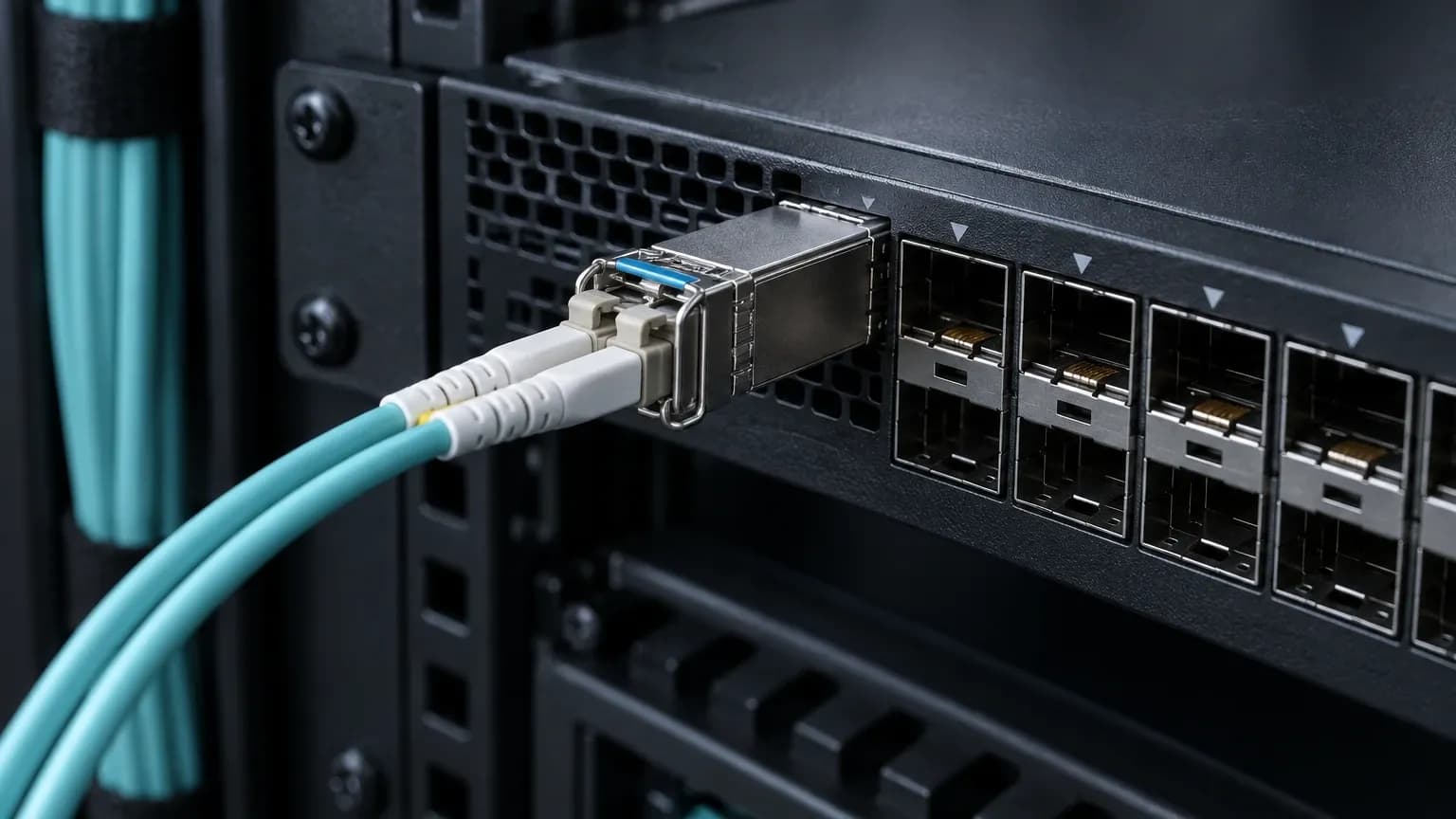
An SFP+ module can slide into the right cage, light its laser and still fail the deployment. The host may reject its EEPROM coding, or the fiber channel may be wrong for the wavelength. In UAE change windows, that distinction becomes painful fast. For teams evaluating SFP+ transceiver compatibility across Cisco, Juniper and Arista, start with the exact switch, software release, port and fiber path. A vendor name on the module label is not a compatibility result. SFP+ compatibility is more than fitting the port A sound 10GbE link needs a 10G-capable host port, the SFF-8431 SFP+ interface, a compatible optical channel, and EEPROM coding the host accepts. A live link does not establish OEM support eligibility. Check port speed first. A 1G SFP port is not automatically a 10G SFP+ port. Then match the circuit: standard, wavelength, fiber type, connectors and Tx/Rx polarity. Record the module part number, host model, software release, DOM readings and interface state before diagnosing loss or policy. Start with the 10GBASE-SR physical link 10GBASE-SR is a short-reach multimode design. The Alpha Bridge ASFP-10G-SR is specified for 10Gbps, 850nm, LC duplex, OM3/OM4 multimode fiber and a reach of up to 300m. Treat those as a single design envelope. Mixing an SR optic with OS2 single-mode fiber is simply the wrong circuit. The Alpha Bridge ASFP-10G-SR 10G SFP+ optical transceiver needs matching SR optics at the far end, LC-duplex OM3 or OM4 fiber, and a span inside its stated limit. Measure the channel rather than trusting a cable label. Available optical budget is P_budget = P_Tx_min - S_Rx_sens. Compare it with total channel loss using the selected module's datasheet values, then keep at least 3dB margin. That margin covers connector contamination, aging and the small surprises that show up after a rack is closed. | Parameter | ASFP-10G-SR requirement | Failure symptom | |---|---|---| | Host port | 10G SFP+ capable | Module unrecognized or no link | | Optics | Matching 10GBASE-SR at 850nm | No optical link | | Fiber | LC duplex OM3/OM4 multimode | Unstable link or no link | | Reach | Within the 300m product rating | Insufficient margin | | DOM | Within module thresholds | Alarms or flaps | Key takeaway: An SR circuit is a channel design, not two arbitrary modules joined by a patch lead. Cisco, Juniper and Arista: what compatibility means SFF-8431 defines the SFP+ form factor. SFF-8472 defines DOM/DDM diagnostics through the serial interface, including address 0xA2. Neither standard forces every host to accept every vendor-coded optic. Each vendor decides acceptance and support by platform, optic and software release. | Vendor | Authoritative check | Support caveat | Safe next step | |---|---|---|---| | Cisco | Exact platform and release documentation | Acceptance and support are platform-specific | Validate model/release and capture DOM/link results | | Juniper | Hardware Compatibility Tool | JTAC support is limited for non-qualified optics | Match device and optic in HCT; test the port | | Arista | Transceiver and Cable Guide | Platform and EOS release need verification | Confirm guide applicability; test link and DOM | | Parameter | Strinex Alpha Bridge | FS.com equivalent | Cisco OEM | Generic or refurbished | |---|---|---|---|---| | Data rate | 10Gbps SFP+ | Confirm selected SKU | Confirm selected SKU | Verify exact SKU | | Wavelength / fiber | 850nm, LC duplex OM3/OM4 | Confirm selected SKU | Confirm selected SKU | Verify label and EEPROM | | Maximum reach | Up to 300m | Confirm selected SKU | Confirm selected SKU | Verify datasheet and conditions | | DDM/DOM support | SFF-8472 diagnostics | Confirm selected SKU | Platform/SKU dependent | Validate before deployment | | Switch compatibility | Check host model/release first | Coding and host validation | Qualified supported hosts | Highest validation burden | | UAE delivery time | Confirm Dubai availability | Confirm at order | Confirm at order | Confirm source and lead time | | Warranty | Confirm product-specific terms | Confirm terms | Confirm terms | Confirm provenance and terms | Cisco: validate the platform-specific policy Cisco behavior varies across the portfolio. Cisco documents service unsupported-transceiver in ISR1000 IOS-XE optic-support guidance. That scope matters. Do not carry the command into Catalyst or Nexus because a forum post said it worked elsewhere. Where the documented ISR1000 case applies, the command is an administrative choice, not a qualification guarantee: For Catalyst and Nexus, use documentation for the exact model and release. Review port speed, notices, DOM and error counters. A clean link is not an OEM support ruling. Juniper: use HCT and understand the JTAC boundary Juniper's Hardware Compatibility Tool is the first check for the exact EX or QFX device, interface and optic combination. A third-party module may link and still not qualify for JTAC support. Match the Junos release to the HCT result and keep a qualified rollback optic for support-sensitive paths. Arista: validate against the Transceiver and Cable Guide For Arista, check the Transceiver and Cable Guide for the exact switch platform and EOS release. A claim that an optic works in a 7050SX does not answer whether it fits the target host and release. Test the cable plant after the guide check. Review link state, error counters and DOM after the circuit stabilizes. Use DOM before and after production cutover SFF-8472 diagnostics report temperature, supply voltage, laser bias and Tx/Rx optical power, so engineers can baseline a circuit before cutover. Compare readings with the module's published warning and alarm thresholds. Low receive power can point to dirty ferrules, excess loss, reversed polarity or a damaged patch lead. Record the timestamp, fiber run, host port and part number. Inspect and clean LC ferrules before mating, following IEC 61300-3-35 practice. Cap open ports and keep bend radius above 30mm where cable construction permits. Use a cleaner, optical power meter and visual fault locator before repeated reseating. UAE procurement checklist A deployment-ready request identifies the switch, software release, port, fiber type and length, coding requirement, and whether OEM qualification is mandatory. Use the Alpha Bridge ASFP-10G-SR 10G SFP+ optical transceiver only for its specified 850nm, LC-duplex OM3/OM4, 300m SR design. Confirm Dubai availability, delivery timing and product-specific warranty/RMA terms before booking the change. Fluke Networks CertiFiber Pro certifies multimode channel loss. EXFO FLS-600 provides controlled optical testing. Fluke Networks FI-3000 inspects connector end faces. Frequently asked questions Are third-party SFP+ modules compatible with Cisco switches? They can be, but compatibility remains platform- and release-specific. Confirm the 10G SFP+ port, optic type and exact Cisco documentation. ISR1000 guidance for service unsupported-transceiver does not apply by default to Catalyst or Nexus. Do Juniper switches accept third-party SFP modules? They may accept them electrically and optically, but acceptance does not equal JTAC qualification. Check HCT for the precise device and optic, then test the target port. Does Arista support non-Arista-branded transceivers? It depends on the switch, optic and EOS release. Check the applicable Transceiver and Cable Guide entry, then validate link stability and DOM in a controlled test rather than relying on a generic claim. What is SFP+ DOM? SFP+ DOM is the module diagnostic interface. It reports temperature, voltage, laser bias and Tx/Rx optical power. Compare those values with the module's own thresholds before and after the change. Can I use a 10G SFP+ module on OM3 fiber? Yes, when the 10GBASE-SR module is designed for multimode fiber and the entire channel matches. ASFP-10G-SR requires LC-duplex OM3/OM4 fiber and a span within 300m. Match the far-end optic and verify polarity. Takeaways for network architects Match port speed, optic standard, wavelength, fiber class, connector and polarity before assessing coding. MSA compliance enables interoperability but does not guarantee host acceptance or OEM support eligibility. Validate Cisco, Juniper and Arista by exact platform and release; do not transfer bypass guidance between families. Confirm the exact host before buying Reliable SFP+ transceiver compatibility across Cisco, Juniper and Arista comes from channel design and host-specific validation, not a universal promise. Send Strinex the switch, OS/EOS/Junos release, port and fiber run for a pre-purchase check. Review the Alpha Bridge ASFP-10G-SR 10G SFP+ optical transceiver , then confirm Dubai stock and warranty terms. Related Engineering Guide: 10GBASE-SR vs 10GBASE-LR: Choosing the Right SFP+ for OM3 vs OS2 in UAE (2026)