
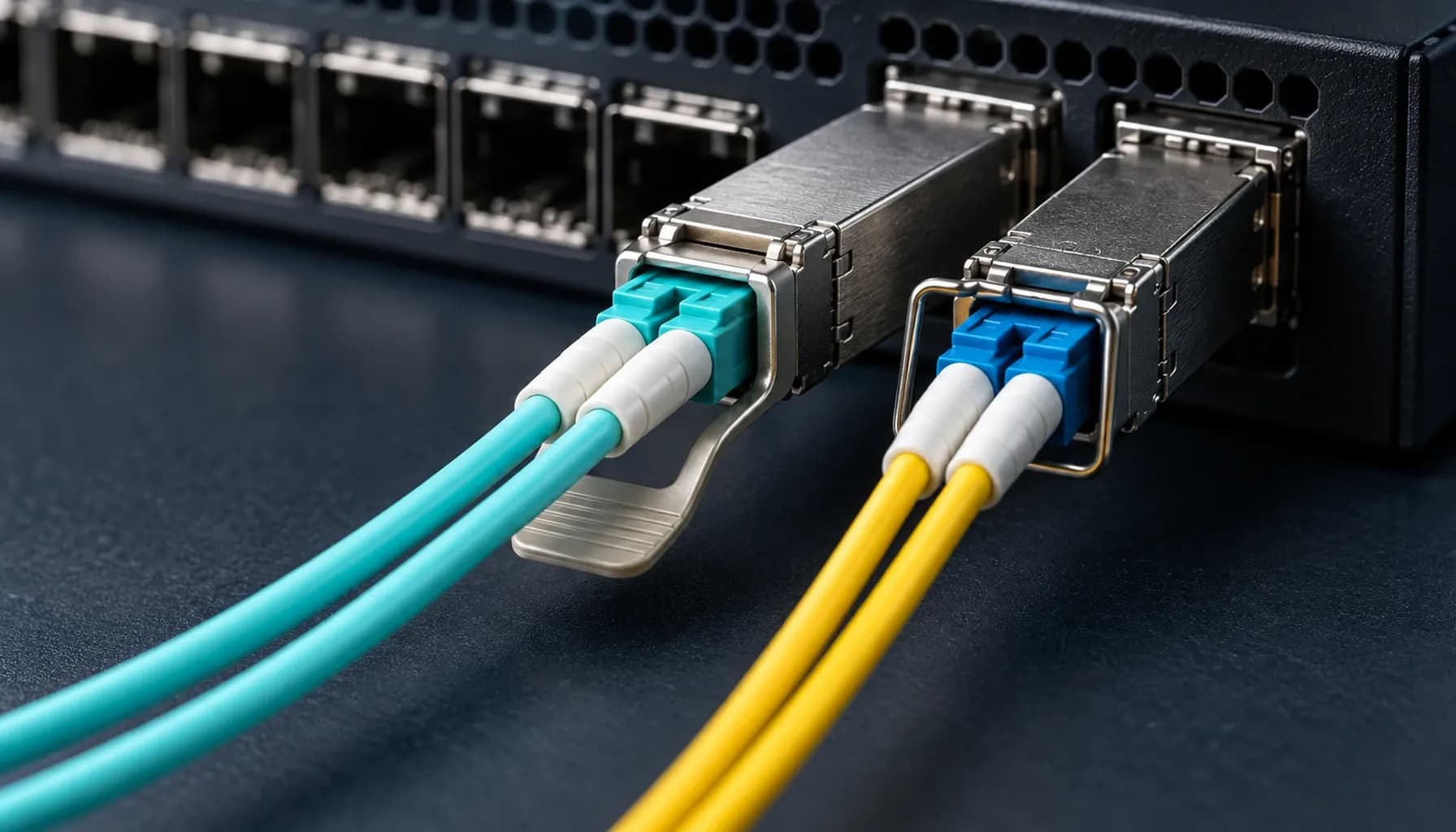
Deploying 10GbE across Cisco Catalyst/Nexus, Arista 7050X, and Juniper QFX is not an “IEEE-compliant means it works” exercise. The answer to SFP+ transceiver compatibility Cisco Juniper Arista is a qualified bill of materials tied to exact hardware and software. A standards-compliant module can still fail recognition because its EEPROM product ID, diagnostics, or vendor qualification is unsupported. Conversely, an approved optic can fail because the fiber, wavelength, contamination, thermal load, or optical budget is wrong.
Compatibility Architecture: Four Layers Must Agree
Compatibility is not a property of the module alone. The complete path must satisfy every layer below; failure at one layer often appears as a generic link-down event at another.
Mechanical and Media Standards
At 10GbE, the host SerDes runs at 10.3125 Gb/s. SFF-8431 defines SFP+ cages and modules; IEEE 802.3ae defines 10GBASE-SR, LR, and ER. SR normally uses 850 nm over multimode, LR 1310 nm over single-mode to 10 km, and ER 1550 nm over single-mode to 40 km. Reach is not budget: connector loss, splices, fiber attenuation, and receiver sensitivity determine closure. Both endpoints must implement the same media family.
Platform Qualification
Mechanical fit is only admission. The switch ASIC and software release must support the optic’s rate, media, and digital diagnostics. EEPROM identity, accepted product IDs, DOM alarms, and command syntax are platform-specific. SFP28 uses a 25.78125-Gb/s signal and may share a connector with SFP+, but it is not an SFP+ substitute. Reverse 10G operation in an SFP28 port is valid only where explicitly supported.
Optical Profile Comparison
Use the optic and fiber as a designed pair; do not procure by the label “10G” alone.
| Profile | Standard / host rate | Fiber / reach | Wavelength | DOM / performance metrics | Compatibility gate |
|---|---|---|---|---|---|
| 10GBASE-SR | IEEE 802.3ae; SFP+; 10.3125 Gb/s | OM1-OM4; 850 m class | 850 nm | Tx/Rx power, bias, temperature, voltage | Match approved PID at both endpoints |
| 10GBASE-LR | IEEE 802.3ae; SFP+; 10.3125 Gb/s | OS2 SMF; 10 km class | 1310 nm | SFF-8472 DOM; module-specific thresholds | Validate single-mode patch panel and budget |
| 10GBASE-ER | IEEE 802.3ae; SFP+; 10.3125 Gb/s | OS2 SMF; 40 km class | 1550 nm | SFF-8472 DOM; module-specific thresholds | Use only in the qualified long-haul design |
| 25GBASE-SR | IEEE 802.3by; SFP28; 25.78125 Gb/s | OM3/OM4; up to 100 m | 850 nm | SFF-8472 plus vendor counters | Requires 25G port, ASIC, and entitlement |
| 25GBASE-LR | IEEE 802.3by; SFP28; 25.78125 Gb/s | OS2 SMF; 10 km class | 1310 nm | SFF-8472 plus vendor counters | Not interchangeable with 10GBASE-LR |
Key takeaway: A standards-compliant optic is not necessarily a qualified optic. Qualification is the intersection of platform, release, port, product ID, media, and link budget.
Vendor Qualification: Match the Exact Platform
Qualification changes by platform family, software release, port hardware, and optics policy. Freeze the compatibility matrix before procurement; a family-level statement is insufficient.
Cisco Catalyst and Nexus
For Catalyst 9300/9500 and Nexus 9300, record the SKU, slot, software release, and supported-transceiver PID. Third-party acceptance varies by platform and release; prefer Cisco-qualified optics where interoperability risk matters.
Arista 7050X
On 7050X/7050X3, confirm EOS and the supported-optics list. Validate form factor, temperature grade, reach, and DOM parsing. Standards compliance alone does not override EOS support.
Juniper QFX
For QFX5100/QFX5200, use Junos-qualified optics for predictable interoperability. Capture interface type, Junos release, transceiver description, and DOM readings. Treat copper SFP+ cables as a separate qualification.
Multi-Vendor CLI Verification and Configuration
The safe “CLI unlock” is operational: discover installed hardware, use native configuration, validate DOM and counters, and retain rollback state. It is not permission to rewrite EEPROM identity or bypass platform qualification.
1! Cisco Catalyst IOS XE: read-only discovery2show version3show inventory transceiver4show interfaces transceiver5show interfaces TenGigabitEthernet1/1/1 transceiver detail6show interfaces TenGigabitEthernet1/1/17!8! Arista EOS 7050X: read-only discovery9show version10show interfaces status11show interfaces Ethernet1 transceiver12show interfaces Ethernet113!14! Juniper Junos QFX: read-only discovery15show chassis hardware16show interfaces diagnostics optics17show interfaces xe-0/0/0 extensive18!19! Cisco Catalyst configuration20interface TenGigabitEthernet1/1/121 description SERVER-10G-0122 no shutdown23exit24!25! Arista EOS configuration26interface Ethernet127 description SERVER-10G-0128 no shutdown29exit30!31! Juniper configuration32set interfaces xe-0/0/0 description SERVER-10G-0133set interfaces xe-0/0/0 speed 10g34commit check35commitThe Juniper speed 10g line applies only where that property is exposed; omit it on fixed or auto-negotiating platforms. Run commit check before commit.
Interpreting the Output
Start with identity: vendor, PID, serial, wavelength, and reach must match the approved record. Verify that the interface is administratively up, the line protocol is up, counters increase, and no transceiver alarms exist. Nexus and some IOS XR releases use different inventory and transceiver syntax; use release-specific help. If a module is absent from inventory, replace it with a qualified optic rather than spoofing its identity. If present but dark, measure Tx/Rx power, inspect connectors, and test the fiber.
Field Acceptance in UAE Deployments
At commissioning, clean every ferrule with an approved tool, record launch and receive power at 850, 1310, or 1550 nm, and compare readings with both modules’ thresholds. Validate by optical budget, not distance labels: Tx power minus fiber, splice, and connector loss must remain above receiver sensitivity and below overload limits. A stable DOM baseline exposes contamination and thermal drift. Match the optic’s temperature grade to the hottest cabinet position; a commercial 0–70°C module is not an industrial substitute.
PV-fed outdoor or edge cabinets add another failure domain. Size and derate the DC feed using Sizing Solar DC Cable for a 50°C UAE Rooftop: Ampacity, Conduit Fill and the Temperature Your Conductor Actually Sees (2026), and apply the bonding arrangement in Type 1 and Type 2 SPDs on a Rooftop PV Array: Where Each Device Belongs in the Bonding Arrangement (2026). A thermal overload or surge can reboot the switch and resemble an optics fault. For electrical telemetry, distinguish protocol errors from noise using Idle Bus and Floating Lines Between Polls: Why an Unbiased Telemetry Segment Reads Noise Instead of Data (2026); an SFP+ fiber link adds galvanic isolation but does not repair polling, grounding, or application defects.
Key takeaway: If inventory, DOM, counters, and optical budget disagree, trust the layer that owns the failure: qualification, configuration, media, or optics. Never “unlock” an unsupported module by changing its identity.
Frequently Asked Questions
Can one standard SFP+ module be used in Cisco, Juniper, and Arista switches?
No. IEEE 802.3ae and SFF-8431 define the media and cage, but each platform maintains its own supported product IDs, firmware behavior, and diagnostic implementation. Procure against the exact switch SKU and software release, using the same qualified optic across a mixed-vendor layer unless each platform matrix explicitly approves alternatives.
Can an SFP28 module be used in an SFP+ port?
No. SFP28 carries a 25.78125-Gb/s signal, while SFP+ carries 10.3125 Gb/s. Some platforms offer backward-compatible 10G modes, but that is platform-specific. Conversely, SFP+ may work in a 25G port only when explicitly supported. Check the platform matrix, ASIC, port mode, and entitlement before considering either substitution.
Why is the optic recognized but the link remains down?
Distinguish inventory recognition from signal establishment. The PID may be visible while the port is administratively down, the fiber or wavelength is wrong, a connector is contaminated, or the optical budget is insufficient. Enable the interface, compare transmit and receive power with thresholds, inspect the ends, and test the fiber with a light meter or OTDR before replacing the optic.
What does “CLI unlock” mean in a multi-vendor deployment?
It means using each platform’s supported CLI to inventory, configure, diagnose, and commit transceiver operation—not bypassing controls or rewriting EEPROM identity. Discover hardware read-only first, preserve native configuration, and retain output with the software version. If an optic is absent from supported inventory, no safe CLI command makes it qualified; replace it with an approved module.
What should be included in a UAE handover record?
Record switch model and serial number, software release, slot or interface, optic manufacturer and product ID, serial number, media type, wavelength, distance, fiber type, and measured launch and receive power. Attach transceiver diagnostic output and alarm thresholds. Document cabinet temperature, cleaning procedure, spare optics, and rollback configuration so a replacement is not assumed to be like-for-like.
Key Takeaways
- Pin every optic to the switch model, software release, port type, PID, and entitlement.
- Match SR, LR, ER, or SFP28 media to the actual fiber and calculated optical budget.
- Capture launch power, receive power, DOM alarms, temperature, and counters at handover.
- Stage one known-good qualified module per platform before production insertion.
- Change optics, firmware, port speed, and cabling under one tested rollback plan.
Conclusion
Standardize on qualified, platform-matched optics and request a compatibility-locked bill of materials from the Strinex catalogue.