
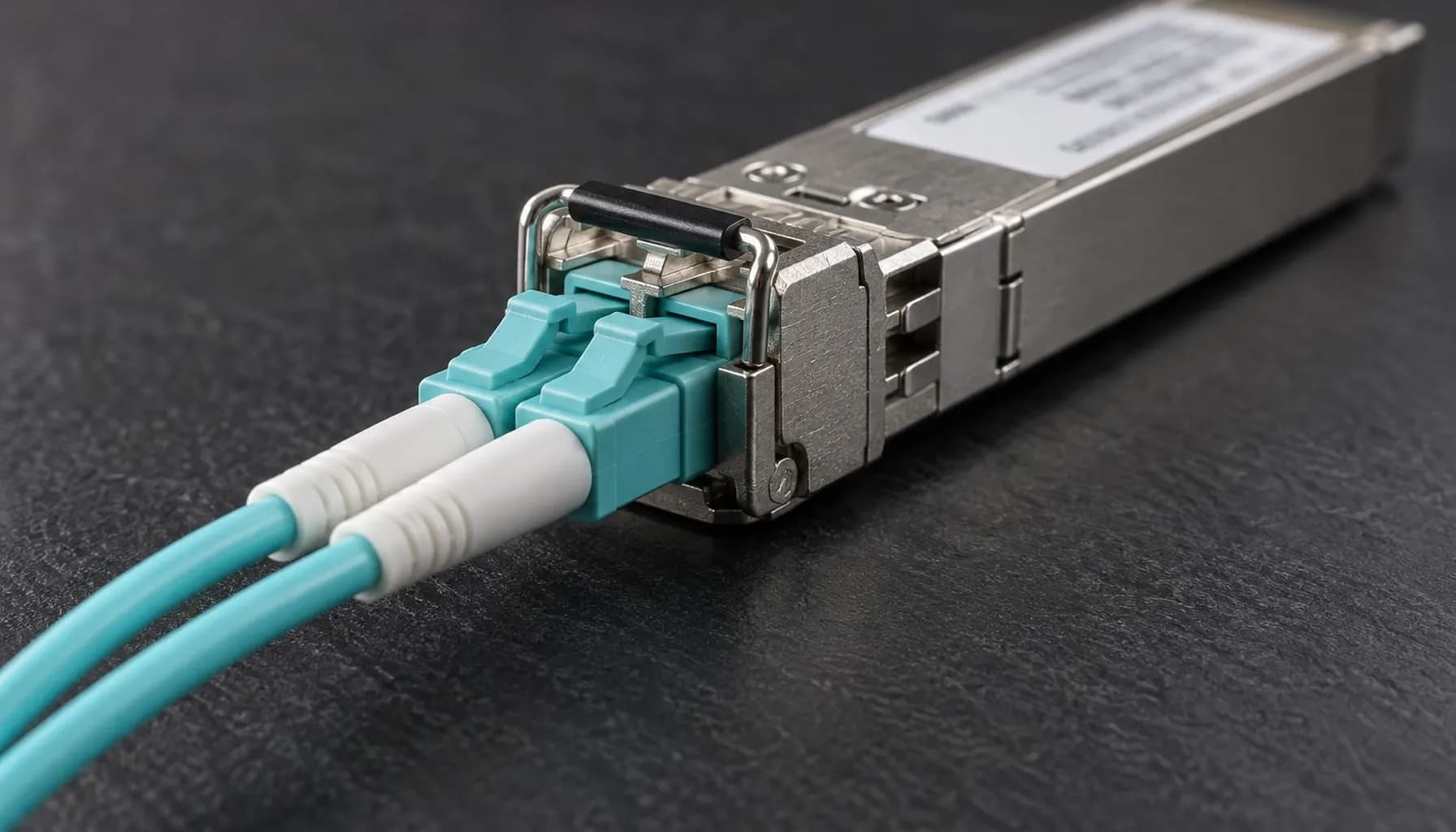
Gulf Deployment Engineering Problem
A 100G upgrade in a UAE data center is not an optics decision alone; it is a thermal, airflow, connector, and operational-support decision. In Dubai, Abu Dhabi, and Sharjah, outdoor temperatures regularly approach 45–50°C, while uncooled intake air, solar loading, restricted hot-aisle capacity, and dusty or coastal environments can raise the temperature at the switch faceplate or transceiver cage above the ambient reading.
The engineering question is therefore precise: which temperature grade should the switch, line card, optics, and copper connectivity use to provide reliable service without creating thermal alarms, link instability, or unnecessary capital cost?
The usual choices are:
- C-Temp: commercial temperature, typically 0°C to 70°C for the transceiver or component.
- E-Temp: extended temperature, commonly -5°C to 85°C.
- I-Temp: industrial temperature, commonly -40°C to 85°C.
These ranges describe component operating classes, not guaranteed performance in every chassis. The switch platform, airflow direction, rack position, optical module, DAC cable, and monitoring thresholds must all be validated as a system.
C-Temp, E-Temp, and I-Temp: What the Labels Mean
Temperature grades originated in optical-transceiver and telecommunications ecosystems. They identify the environmental envelope in which a component has been designed and tested to operate. For high-speed migration projects, the label should be treated as one element of a documented qualification matrix.
C-Temp: Commercial Grade
C-Temp is appropriate for controlled data-center rooms where intake and exhaust temperatures remain comfortably within the supported commercial envelope of the selected platform. It is often adequate for indoor deployments in the UAE when the cooling plant is reliable, the switch is not located near a hot wall, and the transceiver is not exposed to elevated cage temperatures.
C-Temp does not mean “commercial-grade reliability everywhere.” A 70°C component limit can still be exceeded by a 45°C room if the switch lacks front-to-back airflow, has blocked exhaust paths, or draws power from a poorly ventilated cabinet. It also does not eliminate the need to verify the exact optics approved for the switch platform.
E-Temp: Extended Grade
E-Temp is generally the practical starting point for high-density Gulf deployments where the switch may operate in a warmer room, a less aggressively cooled cabinet, or a site with intermittent cooling degradation. The negative lower limit provides additional cold-start margin, while the upper operating limit provides more headroom for local heat accumulation.
E-Temp is not automatically equivalent to I-Temp. A product marketed as extended-temperature may have been tested for -5°C to 85°C, but its humidity, condensation, corrosion, vibration, and long-term reliability qualifications may differ from those of an industrial product. The manufacturer’s part-number documentation remains authoritative.
I-Temp: Industrial Grade
I-Temp provides the widest environmental envelope and is usually required for outdoor enclosures, edge locations, uncooled cabinets, transport, or installations exposed to severe temperature swings. It is also a sensible risk-reduction choice where failure consequences are high and field access is difficult.
However, I-Temp does not make a switch immune to its environment. A sealed or poorly ventilated enclosure can exceed the component rating, and industrial-grade optics may still require compatible switch software and supported vendor combinations. The additional cost should be justified against the deployment risk rather than selected simply by label.
Comparison of Temperature-Grade Options
The following table compares the grades commonly used in 100G optical and network-equipment qualification. Exact limits vary by vendor, component, and product revision; confirm them against the ordered SKU.
| Characteristic | C-Temp | E-Temp | I-Temp |
|---|---|---|---|
| Typical operating range | 0°C to 70°C | -5°C to 85°C | -40°C to 85°C |
| Primary use case | Controlled indoor data center | Warm indoor or semi-controlled Gulf space | Outdoor, edge, or severe-environment cabinet |
| UAE deployment suitability | Good only with strong cooling and thermal margin | Common baseline for warm indoor deployments | Preferred for uncooled, exposed, or mission-critical sites |
| Cold-start margin | Limited | Moderate | High |
| Heat accumulation tolerance | Lowest | Higher | Highest |
| Relative cost | Lowest | Moderate | Highest |
| Typical qualification focus | Commercial indoor operation | Extended thermal range | Wide thermal, environmental, and reliability range |
| Main engineering risk | Module or port failure near upper limit | Vendor-specific limits and platform airflow | Enclosure heat rise exceeding component rating |
| Required verification | DOM, chassis temperature, airflow | DOM, chassis temperature, humidity, support matrix | Full environmental and enclosure thermal validation |
| Common application examples | 100G SR4/DR1 in controlled rooms | 100G DR1/FR1/LR1 in warm colocation | 100G optics or access equipment in outdoor cabinets |
The grade applies to the transceiver, not necessarily the entire switch. A system can combine an industrial optical module with a commercial-temperature switch line card, but doing so provides little benefit if the switch ASIC or cage reaches its own limit first.
Real-World Platform Considerations
Cisco Catalyst and Nexus
Cisco Catalyst access switches and Nexus data-center platforms are used across UAE enterprise and service-provider environments. For a 100G migration, check the exact platform’s ambient-temperature specification, the approved transceiver list, airflow requirements, and the sensor locations reported by NX-OS or IOS-XE.
Cisco optical support is often SKU-specific. A 100G module can have the same electrical interface across temperature grades while differing in supported temperature, reach, firmware, and platform qualification. Do not substitute an I-Temp optic into a Catalyst or Nexus platform solely because the connector appears compatible.
Arista 7050X
The Arista 7050X family is popular for leaf-spine and high-bandwidth data-center fabrics. Its EOS environment monitoring exposes chassis and transceiver temperatures, while optical support is controlled by the platform’s supported-component list and EOS release. Confirm whether the selected 7050X SKU supports 40°C or 45°C ambient operation without derating, and whether the airflow direction matches the rack.
A 7050X located at the top of a cabinet with recirculating hot air may require E-Temp or I-Temp optics even when the room set point is acceptable. The relevant threshold is the temperature at the optical module, not the facility’s dry-bulb sensor.
Juniper QFX
Juniper QFX platforms are common in regional data centers and service-provider aggregation designs. Junos provides chassis, FPC/PIC, and interface environmental data, but platform behavior must be checked against the specific QFX model and hardware revision. Validate card operating temperature, supported optical modules, and the effect of redundant fan operation.
For a 10G-to-25G-to-100G migration, a staged design can avoid premature thermal risk. Upgrade the access or aggregation layer first, measure real port temperatures under production load, and only then standardize the optic grade across the fleet. The broader migration approach is covered in the Data Center High-Speed Migration (10G -> 25G -> 100G): Comprehensive Engineering & Architecture Guide.
Optics, Reach, and Thermal Compatibility
The temperature grade must be selected alongside the 100G PHY family. SR4 is generally used for short multimode reach, DR1 for single-mode datacenter links, FR1 for intermediate single-mode reach, LR1 for longer single-mode links, and ER4 for extended reach. Lane architecture, fiber type, connector, and optical budget can change the thermal and mechanical characteristics of the module.
For 100G links, verify the module’s supported temperature range, DOM reporting, fiber type, connector type, and maximum reach. The 100GBASE PHY Family Decoded guide explains why two modules with identical data rates can have completely different deployment constraints.
For pre-ship inspection, confirm the module type, DOM thresholds, reach, wavelength, vendor compatibility, and whether the optic is actually approved for the switch SKU. The Pre-Ship Optics Acceptance for 100G Ports procedure provides a practical acceptance checklist.
Multi-Vendor Switch Compatibility and CLI Verification
The following read-only commands establish a thermal baseline on common Cisco, Arista, and Juniper operating systems. Command syntax should be adjusted for the exact software release and platform.
1# Cisco NX-OS / IOS-XE2show environment temperature3show interface ethernet 1/1 transceiver details4show interface ethernet 1/1 transceiver dom5
6# Arista EOS7show system environment temperature8show interfaces transceiver9show interfaces transceiver dom10
11# Juniper Junos12show chassis environment13show chassis fpc14show chassis fpc pic15show interfaces extensive
Record the ambient, chassis, port, and transceiver temperatures during normal load and during a cooling failure. Also capture DOM alarms and CRC counters. A rising CRC count can indicate optical, connector, fiber, or ASIC behavior; the Stomped CRC vs Invalid CRC on 100G Ports guide separates those fault domains.
Key takeaway: A temperature-grade decision must be based on measured component temperature and the complete supported configuration, not the facility’s nominal room temperature.
Recommended Qualification Method
Use a four-stage qualification method before approving a deployment:
- Component check: Record the switch, line card, optic, DAC/AOC, connector, and cable specifications.
- Compatibility check: Confirm the vendor-approved transceiver list, software release, reach, and media type.
- Thermal check: Measure the hottest port under full traffic, fan failure, and cabinet recirculation conditions.
- Operational check: Define alarm thresholds, escalation procedures, spare-parts strategy, and replacement access time.
For UAE buyers, a reasonable default is E-Temp for controlled but warm indoor deployments, I-Temp for exposed cabinets, outdoor equipment, or sites where cooling cannot be guaranteed, and C-Temp only where the thermal design provides clear margin and monitoring proves stable operation.
Frequently Asked Questions
Is C-Temp sufficient for a UAE data center?
C-Temp can be sufficient in a well-cooled indoor facility if the switch, transceiver, and airflow design remain within their exact commercial limits. It is risky in cabinets with high ambient temperatures, recirculation, poor filtration, or limited cooling redundancy. Measure the hottest transceiver and chassis temperature under load before approving C-Temp for a large 100G deployment.
When should I choose E-Temp instead of I-Temp?
Choose E-Temp for warm indoor rooms, colocation cabinets with predictable cooling, or equipment installed near hot-aisle return paths where the required operating range extends beyond commercial limits. Choose I-Temp when the equipment may be exposed to uncooled cabinets, outdoor temperatures, severe cold starts, or cooling failures. E-Temp reduces cost only when the documented thermal envelope remains adequate.
Does an I-Temp optical module make the entire switch industrial grade?
No. An I-Temp module qualifies only that transceiver and its documented environmental behavior. The switch chassis, ASIC, line card, fan system, power supply, and internal airflow still determine platform reliability. Confirm that the switch supports the module and that the complete assembly remains within its operating-temperature specification.
Do DAC and AOC cables need the same temperature grade as the switch?
Their minimum operating-temperature rating should cover the actual connector and cable environment, including cable-bend, rack, and passive-slot temperatures. A high-quality DAC may have a wider range than a low-cost assembly, but compatibility still depends on the supported length, loss budget, connector, and vendor approval. Never assume that a 100G connector guarantees a 100G-certified cable.
How should 100G ports be monitored in a Gulf deployment?
Monitor chassis temperature, transceiver DOM temperature, fan and power-supply status, optical power, CRC errors, and link flaps. Establish thresholds below the component alarm limits and correlate port errors with environmental events. In high-risk sites, alert on temperature trends and cooling degradation, not only on a hard shutdown, and maintain an approved spare optic and compatible replacement procedure.
Key Takeaways
- Select E-Temp as the common baseline for warm, controlled UAE indoor deployments; use C-Temp only with documented thermal margin.
- Use I-Temp for outdoor, uncooled, harsh, or difficult-to-service installations, while validating the switch itself—not only the optic.
- Approve 100G optics through the exact switch SKU, software release, PHY type, reach, media, and connector checklist.
- Measure the hottest transceiver under load and simulated cooling failure before deployment sign-off.
- Standardize monitoring, spare parts, alarm thresholds, and maintenance access as part of the 100G migration design.
Conclusion
For Gulf 100G networks, choose the temperature grade from the measured thermal envelope and the vendor-approved configuration—not from the label alone; explore the Strinex catalogue for qualified networking and optical connectivity solutions.